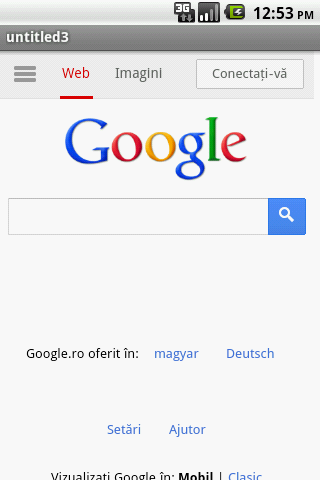
In this tutorial I will show you how to make a request to an URL. This tutorial might help you also, if you encountered the “Blank Page” problem (I have encountered this issue when I was trying to make a request to a secure http (“https”)).
1. Create a new project and call your java class(the one that is generated by Eclipse or other IDE)”MyActivity”.
2. Go to res – layout – main.xml (if you are using eclipse you shoul rename the main.xml file) and put the following code to create a WebView:
<?xml version="1.0" encoding="utf-8"?>

<WebView xmlns:android="http://schemas.android.com/apk/res/android"
         android:id="@+id/webview"
         android:layout_width="fill_parent"
         android:layout_height="fill_parent"/>
3. Go to MyActivity class and introduce the following code:
package com.example;

import android.app.Activity;
import android.content.Intent;
import android.net.Uri;
import android.net.http.SslError;
import android.os.Bundle;
import android.webkit.SslErrorHandler;
import android.webkit.WebSettings;
import android.webkit.WebView;
import android.webkit.WebViewClient;

public class MyActivity extends Activity {
    // here you can put your url address
    private static final String URL = "http://www.google.ro";

    @Override
    public void onCreate(Bundle savedInstanceState) {
        super.onCreate(savedInstanceState);
        setContentView(R.layout.main);

        WebView myWebView = (WebView)findViewById(R.id.webview);

        WebSettings settings = myWebView.getSettings();

        settings.setJavaScriptEnabled(true);
        // By using this method together with the overridden method onReceivedSslError()
        // you will avoid the "WebView Blank Page" problem to appear. This might happen if you
        // use a "https" url!
        settings.setDomStorageEnabled(true);

        myWebView.loadUrl(URL);

        myWebView.setWebViewClient(new MyWebViewClient());

    }

    private class MyWebViewClient extends WebViewClient {
        @Override
        public boolean shouldOverrideUrlLoading(WebView view, String url) {
            if (Uri.parse(url).getHost().equals(URL)) {
                // This is your web site, so do not override; let the WebView to load the page
                return false;
            }
            // Otherwise, the link is not for a page on my site, so launch another Activity that handles URLs
            Intent intent = new Intent(Intent.ACTION_VIEW, Uri.parse(url));
            startActivity(intent);
            return true;
        }

        @Override
        public void onReceivedSslError(WebView view, SslErrorHandler handler, SslError error) {
            super.onReceivedSslError(view, handler, error);

            // this will ignore the Ssl error and will go forward to your site
            handler.proceed();
        }
    }
}
4. And now, go the AndroidManifest.xml and add the permission for Internet just after :
<uses-permission android:name="android.permission.INTERNET"/>